Setting Up Convincing Volumetric Fog in Unity URP
Learn how to create immersive and chilling environments with volumetric fog in Unity URP. This guide walks through setup and techniques.
Creating a compelling atmosphere is essential in horror games, and one of the most effective tools available is volumetric fog. In Unity's Universal Render Pipeline (URP), volumetric fog can transform scenes, adding layers of depth and an unsettling presence that enhances the player's experience.
Understanding Volumetric Fog
Volumetric fog differs from traditional fog by simulating how light scatters through a medium, providing a more realistic and immersive effect. It interacts dynamically with lighting, casting shadows and creating crepuscular rays, often referred to as 'god rays'. This interaction is crucial in horror settings, where light and shadow dictate the player's perception and emotional response. Understanding this can raise the immersive quality of your game significantly.
Setting Up Basic Fog
To implement volumetric fog in Unity URP, first ensure your project is set up with Universal Render Pipeline. Navigate to 'Window' > 'Rendering' > 'Lighting' and configure the fog settings under the 'Environment' tab. Unity provides options to adjust density, colour, and distance settings. Experiment with these parameters to create the foggy ambience you desire. A subtle, thin fog can suggest mystery, while dense fog can obscure vision and heighten tension.
Enhancing Fog with Lighting
Lighting plays a significant role in bringing volumetric fog to life. Use directional lights to create strong shadows and highlight fog density. Spotlights can simulate torches or lamps, casting eerie beams through the fog. Adjust the 'Volumetric' settings in your light sources to control how they interact with the fog. This interplay of light and fog can evoke dread and intrigue, crucial elements in a horror game. Explore our about page to see how these techniques align with our game design philosophy.
"Fog is the architect of fear, shaping the unseen and the unknown."
Performance Optimization
While volumetric fog can significantly enhance atmospheric quality, it is important to consider its performance impact. Unity URP offers several optimizations to ensure smooth gameplay. Use lower resolution settings for volumetric fog in distant areas and reduce the number of active light sources affecting the fog. Efficient use of these settings can maintain performance without sacrificing the eerie ambiance vital to horror games.
Fog in The Lighthouse Keeper
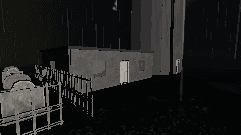
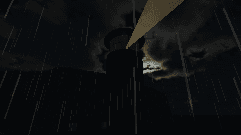
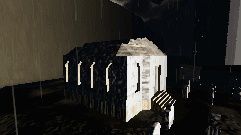
The mournful fog surrounding Cape Mourn in The Lighthouse Keeper plays a pivotal role in immersing players in its desolate, haunted world. Our team meticulously tweaked volumetric fog settings to craft an environment where visibility ebbs away like the tide, fostering suspense and unease. The interplay of the lighthouse beam cutting through the dense fog is integral in guiding players through the narrative journey, making each discovery all the more chilling.
For more insights into how we use environmental storytelling tools like fog in our game, feel free to contact us with any questions.