Optimising a Horror Game for Smooth Performance in Unity
Explore techniques to optimise hauntingly atmospheric horror games in Unity. Achieve smooth performance without sacrificing the eerie ambiance crucial to the genre.

Understanding Performance Challenges
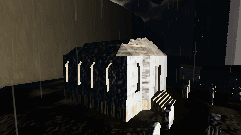
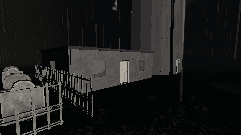
Creating a dark, foggy horror game like "The Lighthouse Keeper" presents unique performance challenges. The intricate balance between atmosphere and technical efficiency is crucial. High-quality graphics, complex lighting, and immersive soundscapes must coexist with seamless gameplay. In horror, where every frame and sound counts, optimising performance can be especially daunting. The dark and foreboding environment of the Cape Mourn lighthouse demands a holistic approach to ensure that the haunting experience is not marred by lag or stutters.
Fog and Atmosphere
Fog serves as a powerful tool in horror games, enveloping players in mystery and uncertainty. However, volumetric fog can be performance-intensive. In Unity, configuring fog properly is essential. Consider using a combination of fog types (e.g., depth-based and simple linear fog) to create a layered effect without overburdening the GPU. Additionally, tweak the density and distance settings to find the right balance between visual appeal and system load. Check our insights on fog and sound design for more atmospheric details.
Lighting for Horror
Lighting in horror games is not just about illumination; it's about creating an unsettling mood. Dynamic lighting can significantly impact performance, so it's imperative to optimise light sources judiciously. Use baked lighting where possible to reduce real-time processing demands. Employ Unity’s light probes and reflection probes to enhance visual fidelity without additional overhead. Explore techniques in horror game lighting to deepen your understanding of effective lighting strategies.
Asset Optimisation Strategies
Asset management in horror games influences both performance and artistic expression. Optimise 3D models by reducing polygon counts where possible. LOD (Level of Detail) systems allow for dynamic model complexity based on the player's distance, conserving processing power. Consider texture atlasing to minimise draw calls and improve rendering efficiency. Memory management is equally critical, especially when handling high-quality assets typical of atmospheric horror settings.
"In horror, where atmosphere is paramount, every resource saved is a chance to deepen the player's immersion."
Tying It All to The Lighthouse Keeper
In "The Lighthouse Keeper", optimising performance ensures that the unsettling ambiance of Cape Mourn is experienced without technical distractions. Our development team has integrated these strategies to maintain the eerie, immersive atmosphere players expect. By effectively managing fog, lighting, and assets, we've created a seamless experience that allows players to fully engage with the story and setting. For more on how we crafted this narrative, visit our story page or reach out to us with your questions.